Why should we use Power Apps?
Power Apps offer many advantages to your organizations. One of the main benefits is the speed of app development. By using Power Apps, custom business apps can be created rapidly, with little cost. This is critical for business agility. Businesses often cannot afford to wait a few months and spend time and money to build apps that will not be used for longer periods. Power Apps solves these problems by providing app developers with a way to quickly create business apps for clients by using an intuitive interface with a drag and drop option. Apps are built quickly, at a relatively low cost and are customized for end-users to meet their needs.
As mentioned earlier, Power Apps is integrated with Office365, so it is possible to use tools like Flow, PowerBI, or SharePoint list. You can connect to many data sources and use them in your apps, including the SharePoint list, SQL Server, Salesforce, and many more. To see the list of all connectors, check out https://docs.microsoft.com/en-us/connectors/.
Thanks to this, it is easy to get data in and out of the app. This way, businesses achieve great integration, connectivity, and collaboration. By leveraging all the benefits mentioned, businesses can automate and digitalize their manual processes, improve productivity, and modernize in many ways. On top of that, apps can be run in a browser or on mobile devices.
To summarize, key advantages of Power Apps are:
- Allows non-developers to create apps
- Rapidly build custom business apps
- Flexibility – customized and quickly made apps
- Relatively low cost
- Integration
- Automation
- Modernization
By using key advantages, we can think of many reasons why use Power Apps. Some of the common cases for using Power Apps (not only limited to this) are:
- Quickly integrating different data sources in one place, with front logic defined by PowerApps
- Business needs to quickly build a custom app that will be used for a specific purpose
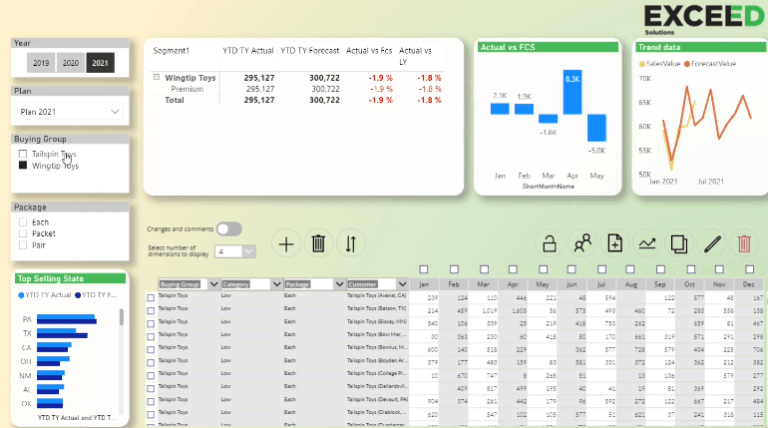
- To integrate data analysis with the writeback option (PowerBI integration)
- When an organization wants to improve collaboration in certain processes (e.g. create a custom app for vacation submissions)
- To save time with repeatable actions that need to be saved in an underlining database (SQL or Sharepoint lists (if smaller workload is involved))
To conclude, Power Apps offers plenty of capabilities and features, both for developers and users (business organizations). Fully functional custom business apps are created quickly without great coding knowledge and are used throughout the organization. A great deal of integration and process digitalization is achieved by using apps. Hope this article helps you get more insights into Power Apps features!
In case of any questions, please comment below!
Comments
Leave a comment
0